From misconfiguration to detection: Introducing our Active Directory Purple Teaming Lab

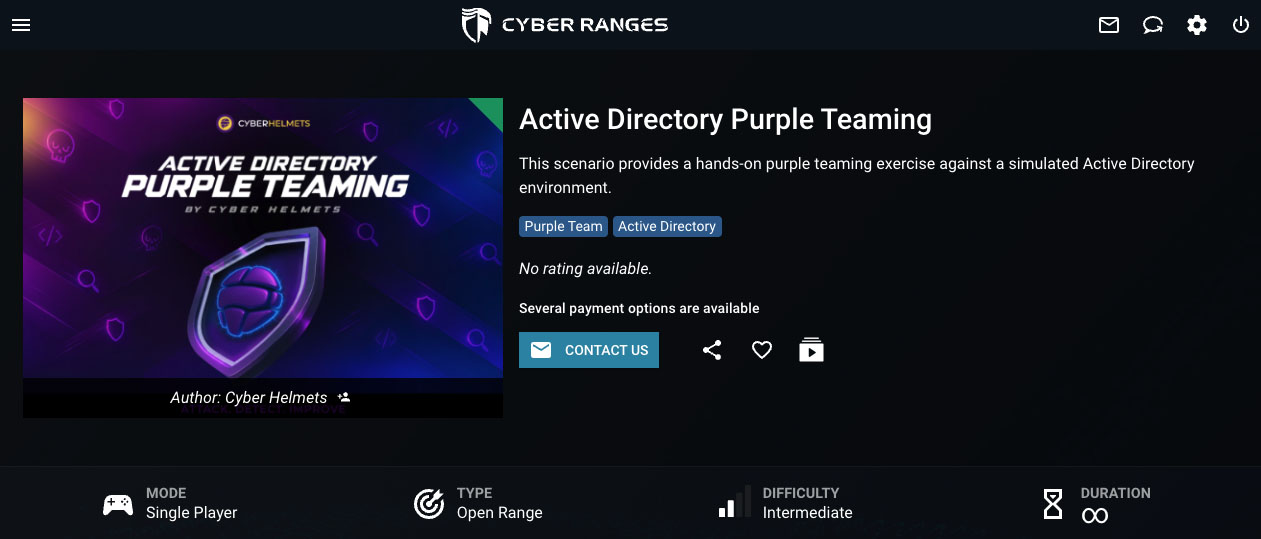
We’ve released our new Active Directory Purple Teaming Lab, designed and developed by Cyber Helmets and powered by CYBER RANGES.

The lab provides a simulated Active Directory environment where participants can explore exploitation, detection, and remediation through hands-on scenarios. It is available as part of our instructor-led Active Directory Purple Teaming training.

The lab focuses on common Active Directory security risks, including misconfigurations, excessive permissions, weak certificate template settings, and delegation features that introduce unintended privilege escalation paths.

Participants can explore how these weaknesses are exploited, what traces they leave behind, and how to address them.
 

From misconfiguration to remediation

The lab follows five operational phases:

  • Misconfiguration: Identify structural weaknesses in Active Directory, from insecure account properties to excessive object permissions and vulnerable certificate configurations.
  • Enumeration: Map directory relationships, privilege boundaries, service associations, and potential attack paths to understand how individual weaknesses can be chained together.
  • Exploitation: Validate the security impact of identified misconfigurations through controlled, directory-focused attack scenarios.
  • Detection: Investigate the telemetry generated by these techniques and identify opportunities to improve monitoring, alerting, and detection engineering.
  • Remediation: Address the underlying weaknesses through permission auditing, privilege restriction, configuration hardening, and least-privilege enforcement.


The workflow connects offensive techniques with defensive analysis, allowing participants to examine why an attack works, how it can be detected, and how the underlying weakness can be addressed.

What does the lab cover?

The lab covers a range of Active Directory attack surfaces, including:

  • Kerberos attacks: AS-REP roasting, Kerberoasting, and delegation abuse.
  • Active Directory Certificate Services (AD CS): Vulnerable certificate templates, enrollment permissions, and certificate authority access controls.
  • DACL abuse: Password-reset rights, excessive object control, group membership manipulation, shadow credentials, and resource-based constrained delegation.
  • Group Policy and directory replication abuse: Weak script permissions, replication rights, and their implications for privileged credential exposure.
  • Credential exposure: Insecure storage and other weaknesses that can turn seemingly minor oversights into significant security risks.

These scenarios demonstrate how isolated configuration issues can combine to create paths toward higher privileges and broader domain compromise.

Connecting offensive and defensive security

The lab brings offensive validation and defensive investigation into the same workflow.

By working through configuration weaknesses, exploitation paths, observable activity, and remediation, participants can practice identifying attack paths, investigating their impact, and improving the security controls designed to prevent them.

Explore the Active Directory Purple Teaming Lab

Our Active Directory Purple Teaming Lab is listed on the CYBER RANGES platform and is available exclusively as part of Cyber Helmets’ instructor-led training.

Create your free CYBER RANGES account to view the lab’s details, objectives, and prerequisites, or learn more about our training to find out how you can participate.

Explore the Training 

Active Directory Purple Teaming Training →

Explore the Lab on CYBER RANGES

Explore the lab →

Design your training strategy

Transform your team’s capabilities. Book a strategy call to discuss your training and hiring needs.

Latest updates & insights

Your source for new partnerships, cybersecurity insights, expert content, and upcoming events.

Syllabus:

Intro to GCP

  • GCP Hierarchy
  • Google Workspace
  • gcloud config
  • Basic Hacking Techniques

Exploitation of GCP Services

  • IAM
  • KMS
  • Secrets 
  • Storage
  • Compute Instances & VPC
  • Cloud Functions
  • CloudSQL
  • Pub/Sub
  • App Engine
  • Google APIs
  • Cloud Shell

Methodologies

  • White box

Security Services

  • GCP Logging & Monitoring

Syllabus:

Intro to AWS

  • AWS Organization
  • AWS Principals
  • Basic Hacking Techniques

Exploitation of AWS Services

  • IAM
  • STS
  • KMS
  • Secrets Manager
  • S3
  • EC2 & VPC
  • Lambda
  • RDS
  • SQS
  • SNS

Methologies

  • White box

Common Detection Mechanisms

  • CloudTrail

Syllabus:

Azure Basics

  • Azure Organization
  • Entra ID
  • Azure Tokens & APIs
  • Basic Enumeration Tools


Exploitation of Azure Services

  • Entra ID IAM
  • Azure IAM
  • Azure Applications
  • Azure Key Vault
  • Azure Virtual Machine & Networking
  • Storage Accounts
  • Azure File Share
  • Azure Table Storage
  • Azure SQL Database
  • Azure MySQL & PostgreSQL
  • Azure CosmosDB
  • Azure App Service
  • Basic Azure Research Technique
  • Azure Function Apps
  • Static Web Apps
  • Azure Container Registry
  • Azure Container
  • Instances, Apps & Jobs
  • Azure Queue
  • Azure Service Bus
  • Azure Automation Account
  • Azure Logic Apps
  • Azure Cloud Shell
  • Azure Virtual Desktop


Methologies

  • White box
  • Black box
  • Pivoting between Entra ID & AD


Common Detection Mechanisms

  • Azure & Entra ID Logging & Monitoring
  • Microsoft Sentinel
  • Microsoft Defender for Cloud & Microsoft Defender EASM

Fundamentals and Setup

  1. Overview of Android’s architecture and ecosystem dynamics.
  2. Exploration of security features native to Android using Java, Kotlin, C++, and Rust.
  3. Mobile Application Threat Model
    a) Differences between mobile and web application threat models.
    b) Applying threat modeling techniques specifically to mobile applications.
    c) Case studies highlighting potential threats and vulnerabilities.
    d) How do we secure and test cross platform apps (e.g. ReactNative, Xamarin, etc).
  4. Introduction to industry mobile security standards
    a) OWASP Mobile Application Security (MAS) project
    b) Effective usage of the Mobile Application Security Verification Standard (MASVS).
    c) Effective usage of the Mobile Security Testing Guide (MSTG).
    d) Overview of the OWASP top 10 for mobile.
  5. Setting up and preparing a mobile security testing lab
    a) Configuration of industry-standard tools and guidance on their appropriate use.
    b) Setup of virtual mobile devices using Corellium, including its advantages.
    c) Introductory exercises to familiarize with the tools.
  6. Secure Coding Overview
    a) Exercises to identify vulnerabilities in code examples
    b) Discussion of the appropriate mechanisms for remediation
    c) Practical session on remediation and re-testing the app
  7. Secure storage
    a) Overview of application storage mechanisms.
    b) Introduction to cryptographic storage solutions on Android.

Advanced Techniques and Practical Application

  • Mobile penetration testing methodology
    a) Methodologies used in real-world scenarios with practical tips and tricks.
  • Identifying issues with backend APIs
    a) Examination of client-side trust issues.
    b) Analysis of insecure communications including certificate validation and pinning.
  • Cryptography in Android apps
    a) Utilization of Android’s Crypto APIs.
    b) Implementation of native cryptography using libraries like libnacl and OpenSSL.
    c) Management of cryptographic keys.
  • Authentication and Authorization
    a) Testing client-side authentication mechanisms, including secure usage of biometrics.
    b) Strategies to detect and bypass authentication flaws.
    c) Security measures for API authentication.
  • Android IPC
    a) Detailed exploration of Intents, deep links, Binders/services, and broadcast receivers.
  • Webviews
    a) Identifying and resolving common security issues in Android Webview configurations.
  • Software Composition Analysis (SBOM)
    a) Techniques to determine the components of an Android app.
    b) Identifying known vulnerabilities within these components.
  • Mobile Device Management (MDM)
    a) Introduction to Mobile Device Management: definition, core features, and its role in enhancing organizational security.
    b) Discussion on the benefits and practical applications of MDM in controlling and securing mobile devices across an enterprise.
  • Mobile Application Management (MAM)
    a) Overview of Mobile Application Management: what it entails and its significance in enterprise environments.
    b) Exploration of how MAM contributes to managing and securing applications specifically, detailing its utility for enterprise security strategies.

Advanced Techniques and Practical Application

  • Mobile penetration testing methodology
    a) Methodologies used in real-world scenarios with practical tips and tricks.
  • Identifying issues with backend APIs
    a) Examination of client-side trust issues.
    b) Analysis of insecure communications including App Transport Security issues & certificate pinning.
  • Cryptography in IOS apps
    a) Utilization of iOS’s CryptoKit & CommonCrypto APIs.
    b) Implementation of native cryptography using libraries like libnacl and OpenSSL.
    c) Management of cryptographic keys and leveraging the secure enclave.
  • Authentication and Authorization
    a) Testing client-side authentication mechanisms, including secure usage of Local Authentication (biometrics).
    b) Strategies to detect and bypass authentication flaws.
    c) Security measures for API authentication.
    d) Using Device Check and App Attest
  • iOS IPC
    a) Detailed exploration of URL schemes, deep (universal) links, and extensions.
  • Webviews
    a) Identifying and resolving common security issues in iOS Webview configurations.
  • Software Composition Analysis (SBOM)
    a) Techniques to determine the components of an iOS app.
    b) Identifying known vulnerabilities within these components.
  • Implementing App Integrity
    a) What to look for
    b) How to implement
  • Mobile Device Management (MDM)
    a) Introduction to Mobile Device Management: definition, core features, and its role in enhancing organizational security.
    b) Discussion on the benefits and practical applications of MDM in controlling and securing mobile devices across an enterprise.
  • Mobile Application Management (MAM)
    a) Overview of Mobile Application Management: what it entails and its significance in enterprise environments.
    b) Exploration of how MAM contributes to managing and securing applications specifically, detailing its utility for enterprise security strategies.

Fundamentals & Setup

  1. Overview of iOS’s architecture and ecosystem dynamics.
  2. Exploration of security features native to to iOS using Objective-C, Swift, and C(++).
  3. Mobile Application Threat Model
    a) Differences between mobile and web application threat models.
    b) Applying threat modeling techniques specifically to mobile applications.
    c) Case studies highlighting potential threats and vulnerabilities.
    d) How do we secure and test cross platform apps (e.g. ReactNative, Xamarin, etc).
  4. Introduction to industry mobile security standards
    a) OWASP Mobile Application Security (MAS) project
    b) Effective usage of the Mobile Application Security Verification Standard (MASVS).
    c) Effective usage of the Mobile Security Testing Guide (MSTG).
    d) Overview of the OWASP top 10 for mobile.
  5. Setting up and preparing a mobile security testing lab
    a) Configuration of industry-standard tools and guidance on their appropriate use.
    b) Setup of virtual mobile devices using Corellium, including its advantages.
    c) Introductory exercises to familiarize with the tools.
  6. Secure Coding Overview
    a) Exercises to identify vulnerabilities in iOS code examples
    b) Discussion of the appropriate mechanisms for remediation
    c) Practical session on remediation and re-testing the app
  7. Secure storage
    a) Overview of application storage mechanisms.
    b) Introduction to cryptographic storage solutions on iOS.