Getting more out of HTB Enterprise: A strategic layer for teams that want measurable growth.

Hack The Box Enterprise has become one of the most powerful ecosystems for cybersecurity skill development: hands-on labs, advanced challenges, role-based Academy paths, and structured environments designed for real-world problem solving. For modern cybersecurity teams, it’s an environment with enormous potential, but one that requires structure, alignment, and sustained guidance to turn that potential into measurable capability. And that’s where Cyber Helmets comes in.


Using the HTB Enterprise ecosystem as the core engine for hands-on growth, Cyber Helmets provides the strategic layer organizations need: structured development plans, curated learning paths, continuous monitoring, expert-led deep dives, and the ability to measure progress over time. This isn’t training for the sake of training, it’s a capability-building program.


Teams gain four essential layers of support that sit on top of their HTB subscription: structured training plans, curated content, visibility into performance, and expert-led workshops.
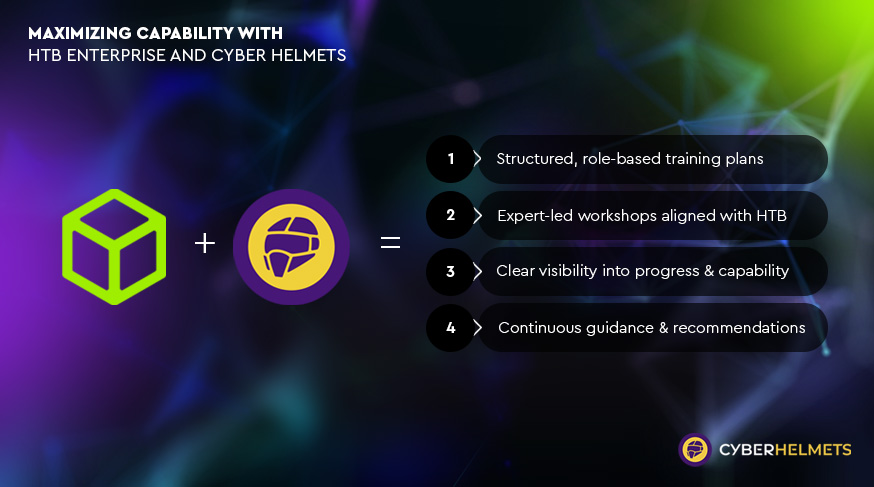


How Cyber Helmets extends the value of HTB Enterprise.

Below is a breakdown of how these components come together, why they matter, and how they help organizations extract the maximum value from their HTB investment.
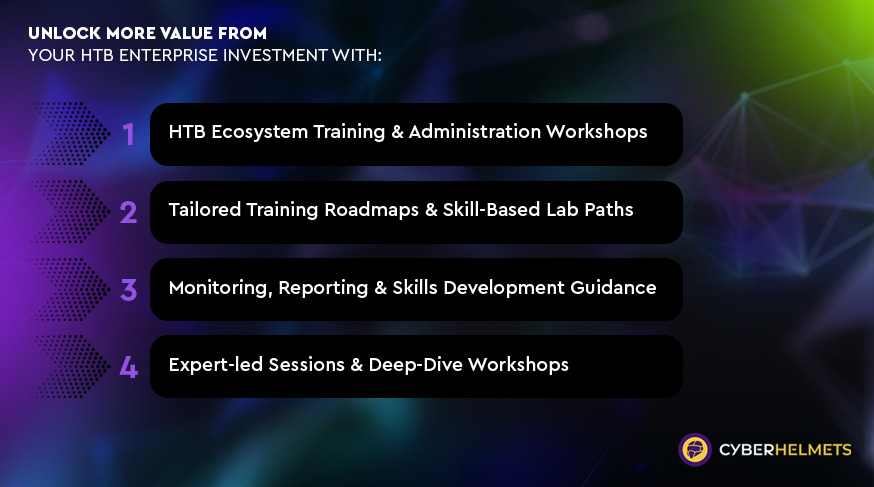


 1. HTB Ecosystem Training & Administration Workshops 

Helping teams actually use, manage, and operationalize HTB Enterprise.

The first barrier many organizations encounter is simply learning to use HTB effectively. The platform is rich and expansive, Labs, Academy, Battlegrounds, Challenges, CTFs, and it requires proper onboarding, administration, and workflow integration. Cyber Helmets delivers hands-on workshops that teach administrators and team leads how to:


Provision and manage training environments
Track performance and issue challenges
Create internal competitions to increase engagement
Integrate HTB into existing internal workflows

This step ensures teams don’t just access the ecosystem, they know how to extract value from it. It removes friction, reduces internal admin time, and builds the foundation for capability growth.


 2. Tailored Training Roadmaps & Skill-based Lab Paths 

Turning a massive content library into a personalized learning journey.


HTB’s volume of content is one of its strengths but also one of the reasons teams get stuck. Instead of navigating hundreds of labs on their own, Cyber Helmets designs structured paths built around:


Job roles (SOC, Red Team, Blue Team, DevSecOps, Cloud, etc.)
Current skill levels
Learning goals and expected outcomes
Available time per week/month


This includes curated lists of labs, recommended Academy modules, and clear progression paths from beginner → intermediate → advanced

In other words no more guesswork. Each person gets the right challenge at the right time.


This model boosts engagement, improves skill retention, and links daily training activity to real organizational objectives.


 3. Monitoring, Reporting & Skills Development Guidance 

Visibility into progress, gaps, strengths, and capability growth.


Most training programs fail because there’s no way to measure progress beyond “hours spent.” Cyber Helmets changes that by providing structured, periodic reporting that shows:


Individual and team performance across labs and assessments
Strengths, emerging skills, and gaps
Training stagnation alerts
Recommendations for next steps, new labs, or targeted guidance


These insights turn training into a continuous, data-driven development program rather than a one-off activity.

For leaders, this solves a major problem: You finally know what your people are learning, how well they are progressing, and where intervention is needed.


For teams: It provides direction, accountability, and motivation.


 4. Expert-led Sessions & Deep-Dive Workshops

Real experts. Real scenarios. Real skill-building.


This is where classroom learning meets field experience. Cyber Helmets instructors deliver specialized sessions built around the organization’s specific needs and synced with each trainee’s HTB progress. Topics include:


Penetration testing fundamentals and advanced techniques
Adversarial mindset & red team methodology
Cloud security across AWS, Azure, and GCP
AI-powered attacks & defenses
Windows/Linux exploitation
Incident response & threat hunting


These sessions turn theory into action, something most cybersecurity teams desperately lack. They also ensure that training is not isolated to labs but contextualized into real-world operational scenarios.
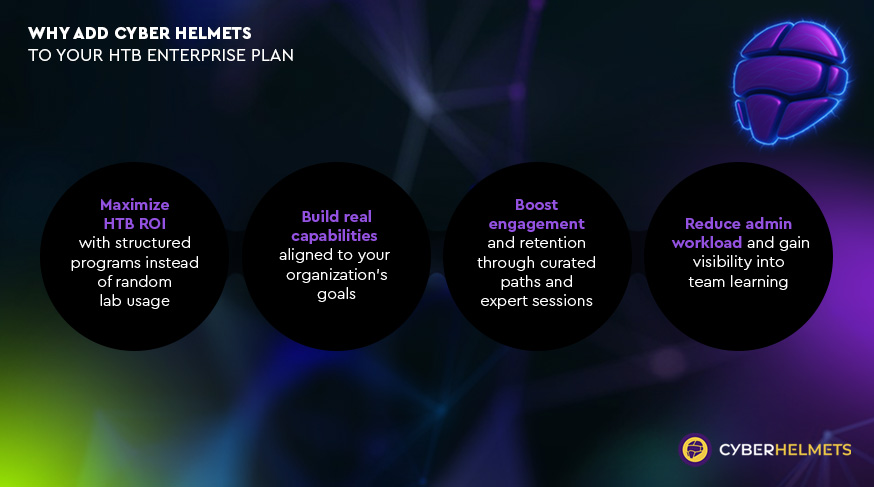


Why Teams Add Cyber Helmets to HTB Enterprise

1. Maximize ROI
Structured programs ensure your HTB investment translates into actual capability.

2. Build real, aligned capabilities
Training maps directly to organizational goals and job roles.

3. Reduce internal administration time
Your team no longer needs to manage training logistics.

4. Boost engagement and retention
Curated paths and expert sessions keep people motivated.

5. Gain visibility into skills and progress
Finally understand who is learning what and how well.
Together, these create a training ecosystem that is purposeful, measurable, and operationally relevant.


Deepen your HTB Enterprise strategy

If you’re evaluating ways to bring more structure and visibility into your HTB Enterprise training, book a meeting with us to discuss how this approach could work for your team.


Book a meeting →

SHARE:

Syllabus:

Intro to GCP

  • GCP Hierarchy
  • Google Workspace
  • gcloud config
  • Basic Hacking Techniques

Exploitation of GCP Services

  • IAM
  • KMS
  • Secrets 
  • Storage
  • Compute Instances & VPC
  • Cloud Functions
  • CloudSQL
  • Pub/Sub
  • App Engine
  • Google APIs
  • Cloud Shell

Methodologies

  • White box

Security Services

  • GCP Logging & Monitoring

Syllabus:

Intro to AWS

  • AWS Organization
  • AWS Principals
  • Basic Hacking Techniques

Exploitation of AWS Services

  • IAM
  • STS
  • KMS
  • Secrets Manager
  • S3
  • EC2 & VPC
  • Lambda
  • RDS
  • SQS
  • SNS

Methologies

  • White box

Common Detection Mechanisms

  • CloudTrail

Syllabus:

Azure Basics

  • Azure Organization
  • Entra ID
  • Azure Tokens & APIs
  • Basic Enumeration Tools


Exploitation of Azure Services

  • Entra ID IAM
  • Azure IAM
  • Azure Applications
  • Azure Key Vault
  • Azure Virtual Machine & Networking
  • Storage Accounts
  • Azure File Share
  • Azure Table Storage
  • Azure SQL Database
  • Azure MySQL & PostgreSQL
  • Azure CosmosDB
  • Azure App Service
  • Basic Azure Research Technique
  • Azure Function Apps
  • Static Web Apps
  • Azure Container Registry
  • Azure Container
  • Instances, Apps & Jobs
  • Azure Queue
  • Azure Service Bus
  • Azure Automation Account
  • Azure Logic Apps
  • Azure Cloud Shell
  • Azure Virtual Desktop


Methologies

  • White box
  • Black box
  • Pivoting between Entra ID & AD


Common Detection Mechanisms

  • Azure & Entra ID Logging & Monitoring
  • Microsoft Sentinel
  • Microsoft Defender for Cloud & Microsoft Defender EASM

Fundamentals and Setup

  1. Overview of Android’s architecture and ecosystem dynamics.
  2. Exploration of security features native to Android using Java, Kotlin, C++, and Rust.
  3. Mobile Application Threat Model
    a) Differences between mobile and web application threat models.
    b) Applying threat modeling techniques specifically to mobile applications.
    c) Case studies highlighting potential threats and vulnerabilities.
    d) How do we secure and test cross platform apps (e.g. ReactNative, Xamarin, etc).
  4. Introduction to industry mobile security standards
    a) OWASP Mobile Application Security (MAS) project
    b) Effective usage of the Mobile Application Security Verification Standard (MASVS).
    c) Effective usage of the Mobile Security Testing Guide (MSTG).
    d) Overview of the OWASP top 10 for mobile.
  5. Setting up and preparing a mobile security testing lab
    a) Configuration of industry-standard tools and guidance on their appropriate use.
    b) Setup of virtual mobile devices using Corellium, including its advantages.
    c) Introductory exercises to familiarize with the tools.
  6. Secure Coding Overview
    a) Exercises to identify vulnerabilities in code examples
    b) Discussion of the appropriate mechanisms for remediation
    c) Practical session on remediation and re-testing the app
  7. Secure storage
    a) Overview of application storage mechanisms.
    b) Introduction to cryptographic storage solutions on Android.

Advanced Techniques and Practical Application

  • Mobile penetration testing methodology
    a) Methodologies used in real-world scenarios with practical tips and tricks.
  • Identifying issues with backend APIs
    a) Examination of client-side trust issues.
    b) Analysis of insecure communications including certificate validation and pinning.
  • Cryptography in Android apps
    a) Utilization of Android’s Crypto APIs.
    b) Implementation of native cryptography using libraries like libnacl and OpenSSL.
    c) Management of cryptographic keys.
  • Authentication and Authorization
    a) Testing client-side authentication mechanisms, including secure usage of biometrics.
    b) Strategies to detect and bypass authentication flaws.
    c) Security measures for API authentication.
  • Android IPC
    a) Detailed exploration of Intents, deep links, Binders/services, and broadcast receivers.
  • Webviews
    a) Identifying and resolving common security issues in Android Webview configurations.
  • Software Composition Analysis (SBOM)
    a) Techniques to determine the components of an Android app.
    b) Identifying known vulnerabilities within these components.
  • Mobile Device Management (MDM)
    a) Introduction to Mobile Device Management: definition, core features, and its role in enhancing organizational security.
    b) Discussion on the benefits and practical applications of MDM in controlling and securing mobile devices across an enterprise.
  • Mobile Application Management (MAM)
    a) Overview of Mobile Application Management: what it entails and its significance in enterprise environments.
    b) Exploration of how MAM contributes to managing and securing applications specifically, detailing its utility for enterprise security strategies.

Advanced Techniques and Practical Application

  • Mobile penetration testing methodology
    a) Methodologies used in real-world scenarios with practical tips and tricks.
  • Identifying issues with backend APIs
    a) Examination of client-side trust issues.
    b) Analysis of insecure communications including App Transport Security issues & certificate pinning.
  • Cryptography in IOS apps
    a) Utilization of iOS’s CryptoKit & CommonCrypto APIs.
    b) Implementation of native cryptography using libraries like libnacl and OpenSSL.
    c) Management of cryptographic keys and leveraging the secure enclave.
  • Authentication and Authorization
    a) Testing client-side authentication mechanisms, including secure usage of Local Authentication (biometrics).
    b) Strategies to detect and bypass authentication flaws.
    c) Security measures for API authentication.
    d) Using Device Check and App Attest
  • iOS IPC
    a) Detailed exploration of URL schemes, deep (universal) links, and extensions.
  • Webviews
    a) Identifying and resolving common security issues in iOS Webview configurations.
  • Software Composition Analysis (SBOM)
    a) Techniques to determine the components of an iOS app.
    b) Identifying known vulnerabilities within these components.
  • Implementing App Integrity
    a) What to look for
    b) How to implement
  • Mobile Device Management (MDM)
    a) Introduction to Mobile Device Management: definition, core features, and its role in enhancing organizational security.
    b) Discussion on the benefits and practical applications of MDM in controlling and securing mobile devices across an enterprise.
  • Mobile Application Management (MAM)
    a) Overview of Mobile Application Management: what it entails and its significance in enterprise environments.
    b) Exploration of how MAM contributes to managing and securing applications specifically, detailing its utility for enterprise security strategies.

Fundamentals & Setup

  1. Overview of iOS’s architecture and ecosystem dynamics.
  2. Exploration of security features native to to iOS using Objective-C, Swift, and C(++).
  3. Mobile Application Threat Model
    a) Differences between mobile and web application threat models.
    b) Applying threat modeling techniques specifically to mobile applications.
    c) Case studies highlighting potential threats and vulnerabilities.
    d) How do we secure and test cross platform apps (e.g. ReactNative, Xamarin, etc).
  4. Introduction to industry mobile security standards
    a) OWASP Mobile Application Security (MAS) project
    b) Effective usage of the Mobile Application Security Verification Standard (MASVS).
    c) Effective usage of the Mobile Security Testing Guide (MSTG).
    d) Overview of the OWASP top 10 for mobile.
  5. Setting up and preparing a mobile security testing lab
    a) Configuration of industry-standard tools and guidance on their appropriate use.
    b) Setup of virtual mobile devices using Corellium, including its advantages.
    c) Introductory exercises to familiarize with the tools.
  6. Secure Coding Overview
    a) Exercises to identify vulnerabilities in iOS code examples
    b) Discussion of the appropriate mechanisms for remediation
    c) Practical session on remediation and re-testing the app
  7. Secure storage
    a) Overview of application storage mechanisms.
    b) Introduction to cryptographic storage solutions on iOS.